
Delete Your MotoLogger Account
Method 1: Delete From the App (Recommended)
The easiest way to delete your MotoLogger account is directly from the mobile app:
- 1. Open the MotoLogger app on your device
- 2. Navigate to your Profile (tap your profile icon in the bottom navigation)
- 3. Go to Account Security (tap on 'Account Security' in the settings section)
- 4. Select Delete Account (tap the red 'Delete Account' option)
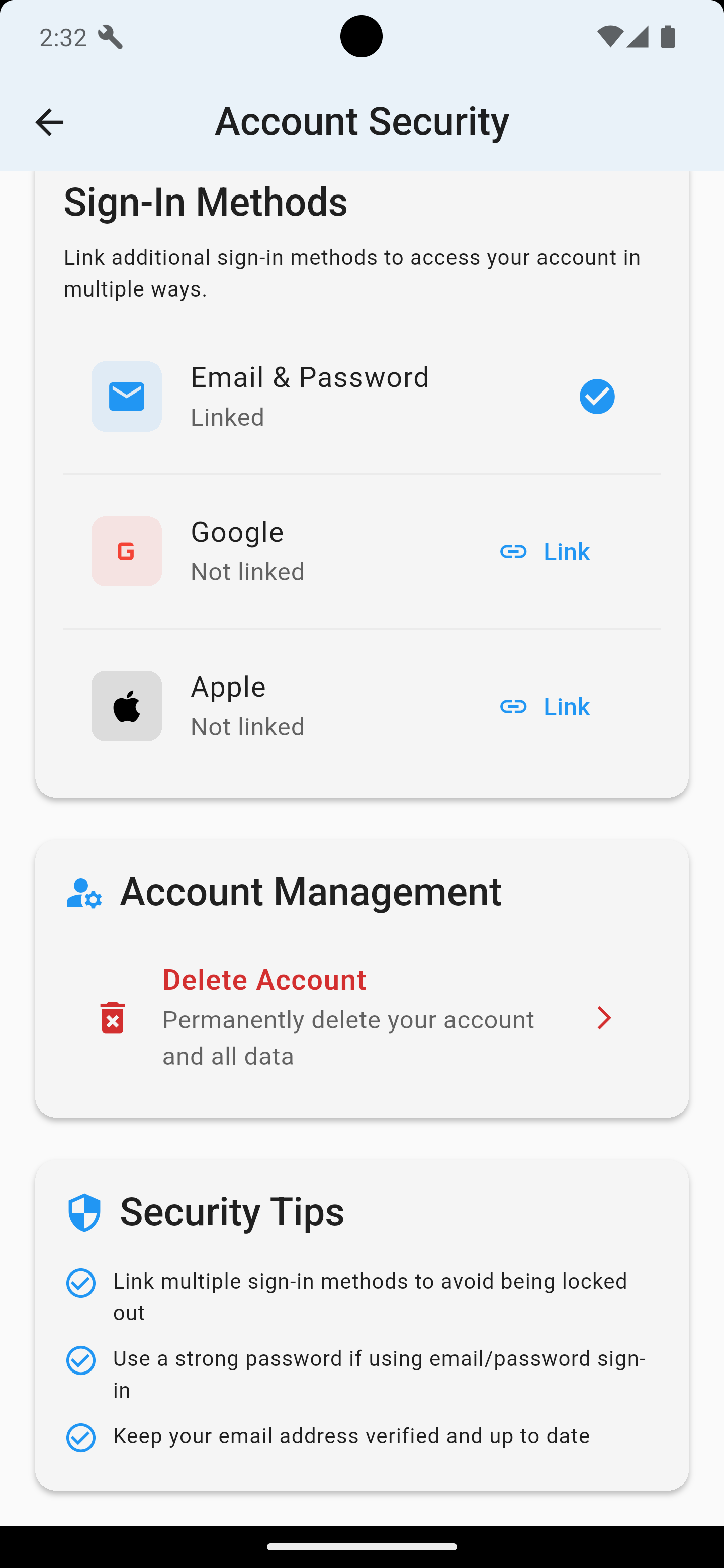 Navigate to Account Security and tap "Delete Account" in the Account Management section
5. Follow the guided deletion process - you'll be taken through a secure 4-step process that shows you exactly what will be deleted
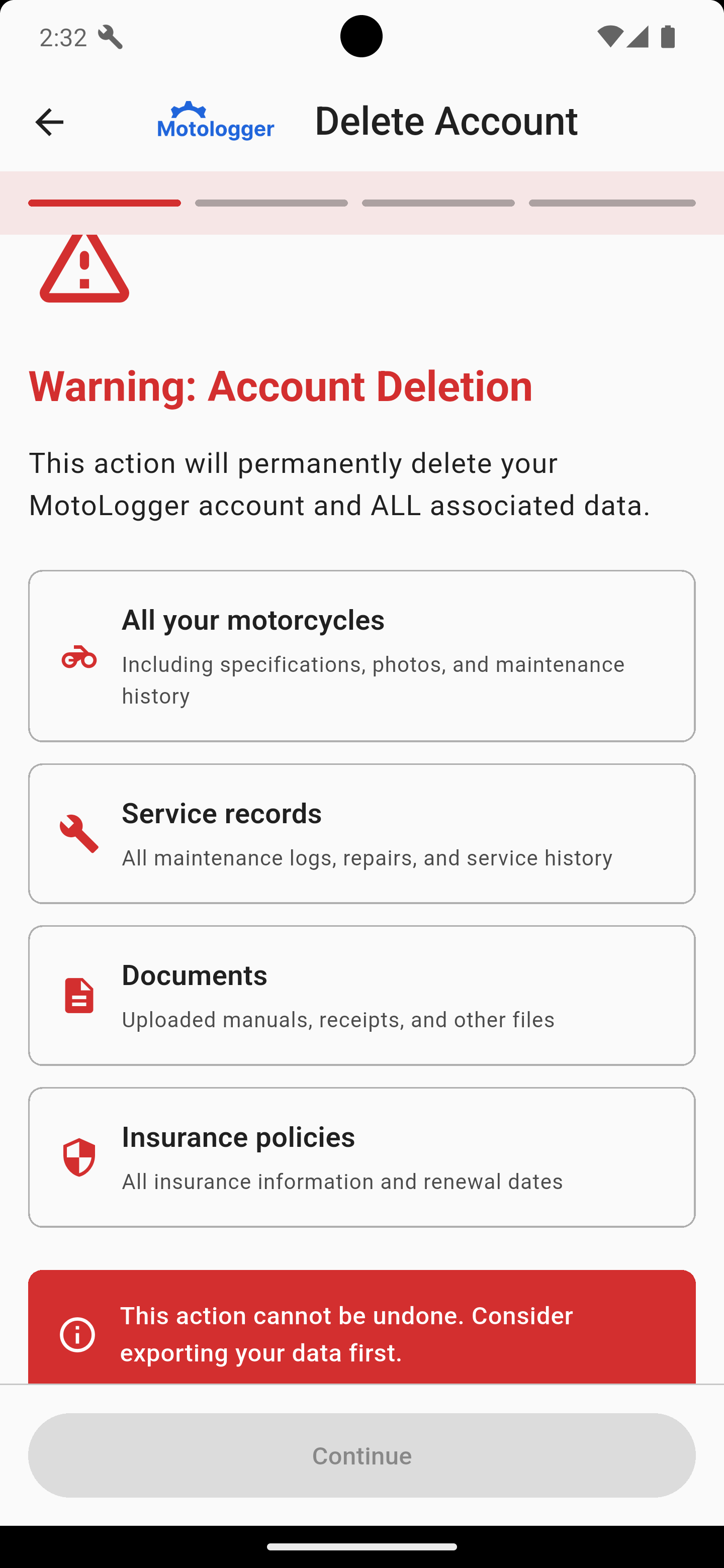 Review the warning and data summary, then continue through the secure deletion process
The app will guide you through:
- Warning about permanent deletion
- Summary of data to be deleted (motorcycles, service records, documents, insurance policies)
- Security verification
- Final confirmation
Method 2: Contact Support
If you cannot access the MotoLogger app or need assistance with account deletion, please contact our support team:
Email: support@motologger.ie
Subject Line: Account Deletion Request
Please Include:
- The email address associated with your MotoLogger account
- Confirmation that you want to permanently delete your account
- Any additional context about why you cannot use the in-app deletion process
What Gets Deleted
When you delete your MotoLogger account, the following data is permanently removed:
- Your Profile
Account information, settings, and preferences
- Motorcycles
All bikes you've added, including photos and specifications
- Service Records
Complete maintenance history and service logs
- Documents
All uploaded manuals, receipts, and files
- Insurance Policies
All insurance information and renewal dates
- Ride Logs
Trip history and fuel records
- Chat History
All conversations with MotoLogger AI
- Launch List Entry
Your email signup for app launch notifications (if applicable)
Important Information
Deletion Timeline
- Immediate
You'll be signed out of the app
- Within 24 hours
All data removed from our systems
- Email Confirmation
You'll receive confirmation when deletion is complete
Data Protection Compliance
Account deletion is performed in accordance with:
- GDPR (General Data Protection Regulation)
- CCPA (California Consumer Privacy Act)
- Other applicable data protection laws
Need Help?
If you have questions about account deletion or data privacy, please don't hesitate to contact us:
Email:support@motologger.ie
Response Time: We typically respond within 24 hours
Last updated: January 2025

MotoLogger
Your complete motorcycle maintenance companion. Track, manage, and maintain your bikes with confidence.
Features
Contact
Dublin, Ireland
© 2026 Boynetech. All rights reserved.
MotoLogger is a product of Boynetech